
Benefits and Uses of Wired and Wireless Networking for Businesses
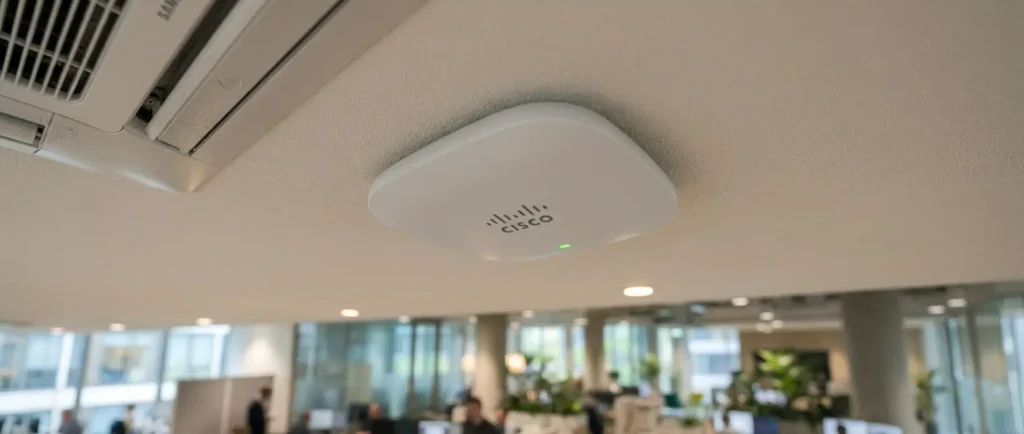
Modern businesses depend on reliable network connectivity for communication, data sharing, cloud applications, security systems and everyday operations.
From desktop computers and servers to smartphones and wireless devices, different types of equipment need to communicate with the business network. For companies in Dubai and across the UAE, getting this balance right affects productivity, security and growth.
Wired and wireless networking technologies make this possible. Wired networks provide physical connections through Ethernet or fibre cables, while wireless access points allow devices to connect using WiFi.
But what are the benefits of each approach, and how do businesses use them together?
In this guide, FSI Information Technology, an authorised Cisco supplier in Dubai, explains the advantages, common applications and key considerations when planning a business network.
Understanding Wired and Wireless Networking
Before comparing their benefits, it helps to understand how these two technologies work.

Wired networking connects devices through physical network cables. Ethernet switches are commonly used to connect computers, servers, printers, IP cameras and other network equipment.

Wireless networking allows compatible devices to connect through WiFi. Wireless access points provide the signal and connect wireless users to the existing network.
Most businesses use a combination of both technologies to support different devices and operational needs.
If you want to understand how access points work and how they differ from switches, read our guide: What Is a Network Access Point? Wired vs Wireless Explained.
Benefits of Wired Networking
Wired networking remains important in business environments because it provides predictable connectivity for fixed devices and demanding applications.
1. Reliable Connectivity
Physical network cables are generally less affected by wireless interference and signal fluctuations. This makes wired connections suitable for devices that need stable network access.
2. Consistent Performance
Ethernet connections provide predictable performance within the capabilities of the connected equipment and network infrastructure. They are commonly used for servers, desktop computers and other fixed devices.
3. Low Latency
Wired networks generally offer lower and more consistent latency than WiFi. This is useful for applications such as VoIP communication, video conferencing and server to server communication.
4. High Bandwidth Connectivity
Ethernet and fibre connections support high data rates, making them suitable for large file transfers, backups and data intensive applications. Enterprise switches such as the Cisco Catalyst 9300 series are built for this kind of demand.
5. Power over Ethernet
Power over Ethernet (PoE) allows compatible switches to supply power to devices such as wireless access points, IP cameras and VoIP phones through network cables. This simplifies installation and reduces the need for separate power connections. See our Cisco products range for PoE switch options.
Benefits of Wireless Networking
Wireless networking provides flexibility for employees and devices that do not need fixed Ethernet connections.
1. Employee Mobility
Employees can move between meeting rooms, offices and shared workspaces while staying connected to the WiFi network.
2. Flexible Installation
Wireless access points reduce the need to install individual Ethernet cables for every client device.
3. Easy Network Expansion
Additional access points can extend wireless coverage when a business grows or opens new work areas. The installation still requires proper network connectivity, power and wireless planning.
4. Convenient Device Connectivity
Laptops, smartphones, tablets and other WiFi enabled devices can connect without needing physical network ports.
5. Support for IoT Devices
Wireless networking supports compatible sensors, smart devices and connected equipment used in offices, warehouses and commercial buildings.
Common Business Applications of Wired and Wireless Networks
Different industries use wired and wireless technologies according to their operational needs.
Offices
- Wireless access points provide WiFi for employees, visitors and meeting rooms.
- Ethernet switches connect desktop computers, printers, servers and VoIP phones.
- Network segmentation can separate guest and internal business traffic.
Schools and Universities
- Wireless access points provide connectivity for students and staff.
- Wired switches support computer laboratories and administrative systems.
- Network access controls help manage different user groups.
Hospitals and Healthcare Facilities
- Wireless networks support approved mobile devices and communication systems.
- Wired networks connect servers, workstations and compatible medical equipment.
- Network design must account for security, availability and the requirements of connected systems.
Hotels
- Wireless access points provide guest WiFi in rooms and common areas.
- Wired networks support reception systems, back office operations and compatible IPTV equipment.
- Separate network access can be set up for guests and hotel operations.
Warehouses and Industrial Facilities
- Industrial wireless access points support barcode scanners and handheld inventory devices.
- Ethernet switches connect servers, security cameras and fixed equipment.
- Outdoor or ruggedised access points may be suitable for demanding environments, supported by rugged switches such as the Cisco Catalyst IE-3100.
Retail and Commercial Buildings
- Wireless networks provide connectivity for staff and visitors.
- Wired networks support point of sale systems and fixed equipment.
- Network segmentation helps separate business operations and guest connectivity.
Wired vs Wireless: Which Is Better for a Business?
There is no single solution that suits every business. The choice depends on your devices, applications, building layout and network requirements.
| Business requirement | Recommended approach | Cisco option to consider |
|---|---|---|
| Desktop computers | Wired Ethernet | Cisco Catalyst 9200 or 9300 switches |
| Servers and network storage | Wired Ethernet or fibre | Cisco Catalyst 9300 or 9500 switches |
| Employee laptops | Wireless or wired | Cisco Catalyst 9120 access points |
| Smartphones and tablets | Wireless | Cisco Catalyst 9120 or Meraki MR |
| IP cameras | Wired PoE or supported wireless solutions | Cisco Catalyst PoE switches |
| VoIP phones | Commonly wired Ethernet with PoE | Cisco Catalyst PoE switches |
| Guest WiFi | Wireless access points | Cisco Meraki MR or Catalyst 9120 |
| Large file transfers | High speed wired connectivity where practical | Cisco Catalyst 9300 or 9300X switches |
A hybrid network is often the most practical approach because it combines the stability of wired connections with the flexibility of wireless access.
How to Choose the Right Network Setup
Planning a business network takes more than choosing equipment based on advertised speed. Consider these factors before choosing a solution.
1. Assess Network Coverage
Identify the areas that need connectivity, including offices, meeting rooms, warehouses, corridors and outdoor spaces. A wireless site survey can help identify coverage gaps, interference and suitable access point locations.
2. Consider the Number of Users and Devices
The number of employees and connected devices affects network capacity. A busy office or meeting room may need more wireless capacity than a small workspace.
3. Evaluate Bandwidth Requirements
Applications such as video conferencing, cloud services, file sharing and backups can create high network traffic. Choose network equipment that supports your expected data requirements.
4. Prioritise Network Security
Use proper authentication, encryption, access controls and network segmentation. WPA3 is a modern wireless security option where supported. Enterprise networks may also use 802.1X authentication and RADIUS based access control.
5. Check Network Equipment Compatibility
Make sure access points, Ethernet switches, routers and other equipment work together correctly. For PoE installations, confirm that the switch supports the access point’s required PoE standard and power budget.
6. Plan for Future Growth
Consider future increases in users, connected devices, applications and network traffic. A scalable network design makes future expansion easier. Our enterprise networking solutions in Dubai are designed with this growth in mind.
The Role of WiFi 6, WiFi 6E and WiFi 7
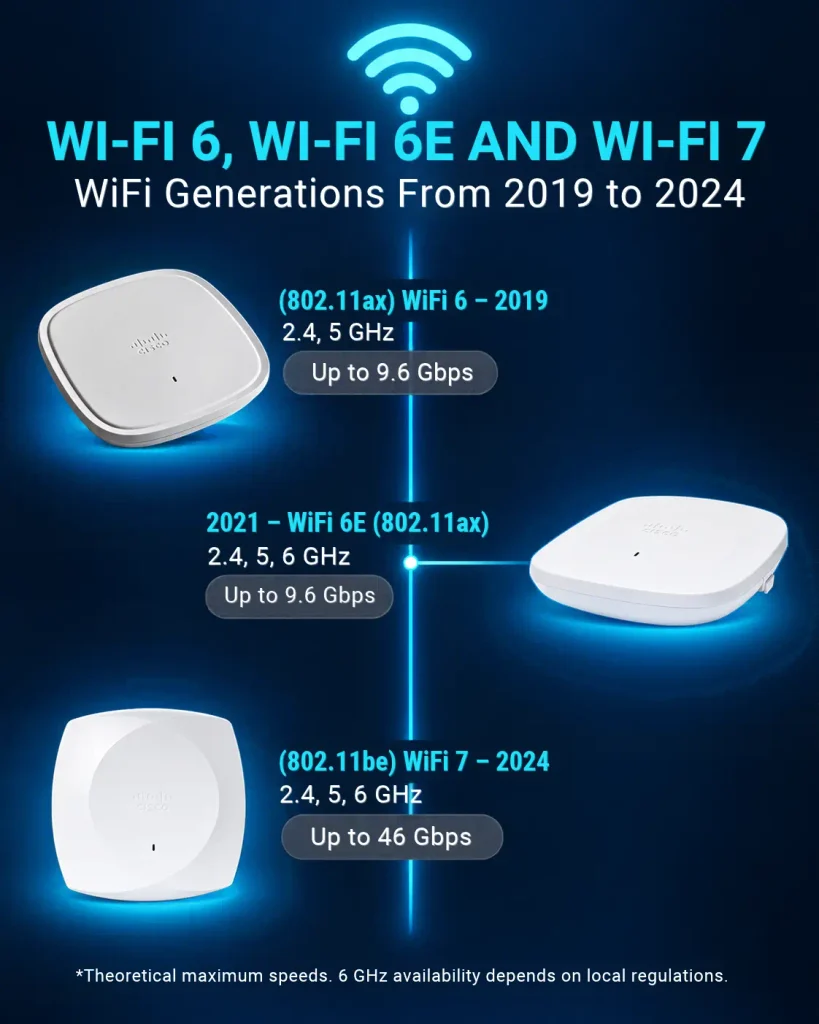
Wireless networking continues to develop as businesses connect more devices and rely on bandwidth intensive applications. Some important WiFi technologies include:
- WiFi 6 (802.11ax): Improves wireless efficiency, particularly in environments with many connected devices. The Cisco Catalyst 9120 is a WiFi 6 access point.
- WiFi 6E: Extends WiFi 6 into the 6 GHz frequency band in countries where that band is available for WiFi.
- WiFi 7 (802.11be): Introduces features such as Multi Link Operation and wider channel options to improve wireless performance. The Cisco CW9176D1 is an example of a WiFi 7 access point.
Actual performance depends on access point capabilities, connected devices, network configuration and local spectrum regulations.
Conclusion
Wired and wireless networking technologies play complementary roles in modern business infrastructure. Wired connections provide stable connectivity for fixed devices and demanding applications, while wireless access points support employee mobility and flexible device connections.
By understanding their benefits and applications, businesses can choose a network design that supports their current operations and future requirements.
Selecting suitable access points, switches and network infrastructure is an important part of this process. To understand the available access point options, explore our guide to 7 Types of Wireless Access Points and Their Configurations.
Frequently Asked Questions
Wired networks offer reliable connectivity, consistent performance, low latency and high bandwidth, which suits servers, desktop computers and IP cameras.
Wireless networks support employee mobility, flexible installation, easy expansion and connectivity for laptops, smartphones, tablets and IoT devices.
Most businesses use both. Wired connections suit fixed devices and demanding applications, while wireless suits mobile users and guests.
Not always, but PoE lets one cable carry both data and power, which makes ceiling and wall installations simpler.
You can buy genuine Cisco switches, routers and wireless products from FSI Information Technology, an authorised Cisco distributor in the UAE.
Related Reading
- What Is a Network Access Point? Wired vs Wireless Explained – Learn the fundamentals of network access points, Ethernet switches and wired versus wireless connectivity.
- 7 Types of Wireless Access Points and Their Configurations – Explore different access point types, configurations and their common applications.