
Cisco Firepower Deployment in Dubai: A Complete Guide to Secure Firewall Setup
Modern businesses need more than a basic firewall to keep internet traffic, applications, remote users, and internal networks safe. A Cisco Firepower or Secure Firewall solution offers centralised security controls. It makes managing network traffic and security policies much simpler across the organisation. That’s why many companies in the region are choosing a trusted Cisco deployment service UAE provider to handle firewall setups on their own.
If you’ve ever tried to set up a next-generation firewall without the expertise, you know how easy it is to make mistakes. Misconfigured NAT rules, blocked VPN tunnels, or access-control policies that either stop traffic or allow too much bad traffic. All of these can happen quickly. A reliable Cisco deployment service UAE team has the hardware knowledge, configuration experience, and local support needed to get everything right the first time. They also help keep things running smoothly after deployment.
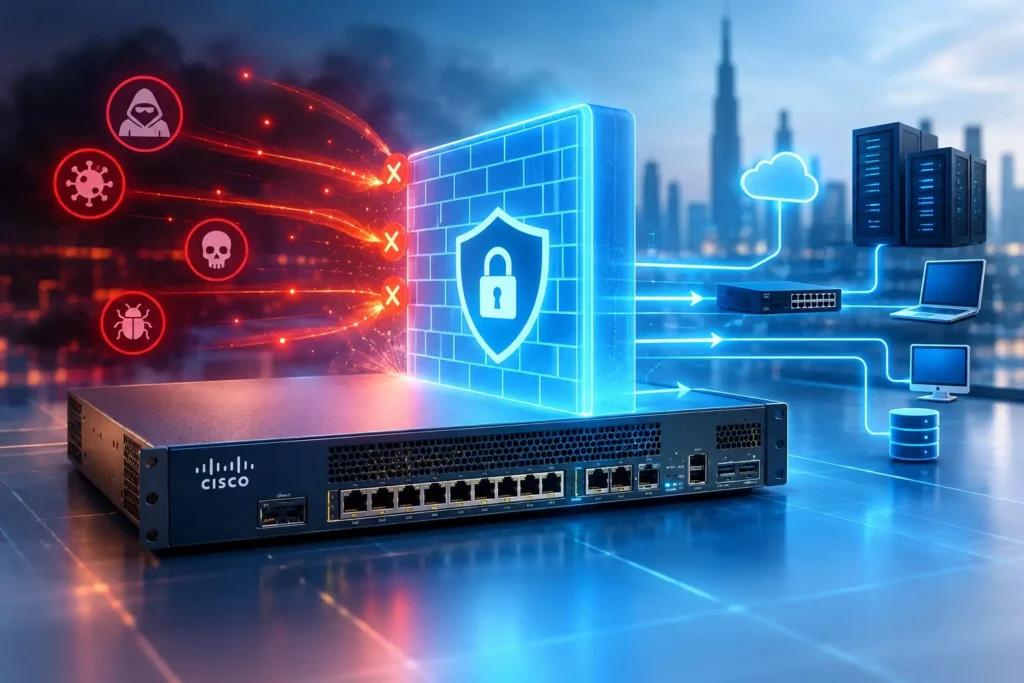
In this guide, we’ll explain what Cisco Firepower really is, why it matters for businesses in Dubai, and what a real-world deployment process looks like from beginning to end.
What Is Cisco Firepower?
Cisco Firepower. Now commonly known as Cisco Secure Firewall. It is Cisco’s next-generation firewall platform. It combines firewall functions with intrusion prevention, application visibility, and advanced threat inspection all in one system.
At the core of it is Firepower Threat Defence (FTD), the software image that runs on Cisco’s firewall hardware. FTD is what actually inspects and manages traffic. Deciding what gets through, what gets blocked, and what gets logged for review.
It’s important to understand the difference between the hardware and the software:
Firewall hardware is the appliance. Or a virtual version. That sits at the edge of your network and handles incoming and outgoing traffic.
Firewall software. In this case, FTD. Runs on that hardware. Controls how traffic is analysed, filtered, and managed.
Together, they protect enterprise networks by acting as a barrier between your systems and the outside world. They screen traffic for threats, enforce access policies, and give IT teams insight into what’s happening on the network. That’s why many organizations depend on it for perimeter security. It doesn’t just block traffic; it actively examines it.
For technical details, Cisco’s Secure Firewall documentation is a good source if you want to dive deeper into the system’s design and capabilities.
Why Cisco Firepower Deployment Matters for Businesses in Dubai
Dubai’s business environment moves fast. Many companies here operate networks that run multiple branch offices and support a mix of on-site and remote workers. That mix makes strong perimeter security not optional. It’s essential.
Protection Against Network Threats
A configured Firepower deployment checks traffic in real time. It catches malware exploit attempts and suspicious behaviour before they reach systems.
Controlled Internet and Application Access
Businesses can decide which applications, websites, and services employees are allowed to use. This reduces exposure to unneeded traffic.
Secure Remote Connectivity
With hybrid work becoming standard, Firepower enables secure VPN access for workers. They can connect without putting the network at risk.
Network Segmentation
Different zones can be created. For departments, guest users, or sensitive systems. This limits how far a threat can spread if it gets past the firewall.
Centralised Security Management
of updating security rules on each device separately, Firepower lets admins manage and apply policies from one location.
Better Visibility Into Network Traffic
Logs and reports give IT teams a clear picture of what’s moving across the network. This makes troubleshooting and audits simpler.
Cisco Firepower Deployment Process
This is where things get technical, but we’ll keep it practical rather than turning it into a full configuration manual.
1. Network Assessment and Requirement Analysis
Before any hardware is even ordered, a proper assessment looks at:
- Existing network architecture
- Number of users
- Internet connections
- Branch offices
- VLANs
- VPN requirements
- Security requirements
- Traffic volume
This step is easy to skip, but it’s honestly the most important one. Skipping it usually leads to under-sized hardware or missed requirements further down the line.
2. Cisco Firewall Hardware Selection
There’s no single Firepower model that’s right for every business in Dubai — the correct choice depends on:
- Network size
- Throughput requirements
- Number of users
- VPN requirements
- High-availability requirements
- Future scalability
A small office and a multi-branch enterprise will need very different hardware, so this decision should always be based on actual requirements rather than guesswork.
3. Firewall Installation and Physical Connectivity
Once the right hardware is chosen, the physical setup covers:
- Rack installation
- Power
- WAN connection
- LAN connection
- Management connection
- Network cabling
- Redundancy where required
This stage is fairly straightforward, but redundancy planning (dual power supplies, failover links) is where experience really pays off.
4. Cisco FTD Initial Configuration
Initial setup on the Firepower Threat Defence software includes:
- Management IP
- Hostname
- DNS
- NTP
- Licensing
- Software/version verification
- Administrative access
Cisco’s own Firepower getting-started documentation similarly covers hardware setup, software and version checks, licensing, and initial configuration and management registration; it’s a solid reference if you want to see the official process laid out step by step.
5. FMC or Device Manager Integration
At this point, you need to decide how the firewall will be managed:
- Firewall Management Center (FMC)—a full-featured, centralised manager typically used for larger or multi-device environments.
- Firewall Device Manager (FDM)—a simpler, on-box manager suited to smaller deployments with a single device.
- Cloud-delivered Firewall Management Center — a cloud-hosted management option that reduces on-premises management overhead.
Choosing the right management approach early on saves a lot of rework later, especially if the network is expected to grow.
6. Interface and Network Configuration
This is where the firewall actually gets wired into your network logically, covering:
- Inside interface
- Outside interface
- Management interface
- VLANs
- Routing
- DHCP where required
7. NAT and Access Control Policies
Traffic rules are where most of the real “security” work happens:
- NAT
- Access control rules
- Application-based policies
- URL filtering where applicable
- Traffic restrictions
Cisco’s current Firepower deployment documentation specifically covers configuration areas such as interfaces, NAT, access-control rules, and deploying the configuration — worth a look if you want the vendor-side detail.
8. VPN Configuration
Depending on the business, VPN needs might include:
- Site-to-site VPN
- Remote-access VPN
- Branch connectivity
- Secure remote access
9. Testing and Security Validation
Before going live, a proper deployment includes:
- Internet connectivity testing
- Internal connectivity
- NAT testing
- VPN testing
- Access-control testing
- Logging
- Failover testing if applicable
10. Monitoring and Ongoing Support
Deployment isn’t really the finish line; it’s the starting point for ongoing management:
- Firewall monitoring
- Configuration backup
- Firmware/software updates
- Security policy review
- Troubleshooting
- Performance monitoring
- AMC and support agreements
This is usually where businesses realise the value of working with a long-term partner rather than a one-time installer.
Benefits of Professional Cisco Deployment Services in UAE
Working with an experienced Cisco deployment service UAE partner rather than handling it internally comes with real, measurable benefits.
Reduced Configuration Errors
Experienced engineers catch mistakes before they become production issues.
Better Network Security
Correctly applied policies close gaps that are easy to miss without hands-on Firepower experience.
Faster Deployment
Professionals move through assessment, installation, and configuration far more efficiently than an in-house team learning as they go.
Proper Policy Configuration
Access control, NAT, and VPN policies are set up according to actual business needs, not generic templates.
Scalable Network Architecture
A good deployment is designed with future growth in mind, not just today’s requirements.
Ongoing Technical Support
Issues get resolved quickly when there’s a support agreement already in place.
Cisco Firepower Deployment for Different Business Environments
Different business types have different priorities when it comes to firewall deployment.
Small and Medium Businesses
Usually need a simpler setup with FDM management and straightforward access-control policies.
Corporate Offices
Often require VLAN segmentation, guest network isolation, and stronger application control.
Multi-Branch Organizations
Typically depend heavily on site-to-site VPN and centralised policy management through FMC.
Call Centers
Need strong uptime, reliable VPN performance for remote agents, and careful bandwidth management — this is an area where Cisco security ties in closely with broader networking and communications needs.
Data Centers
Require high-throughput hardware, strict segmentation, and detailed traffic logging.
Remote and Hybrid Work Environments
Rely on secure remote-access VPN and consistent policy enforcement outside the office perimeter.
Why Choose a Cisco Supplier and Deployment Partner in Dubai?
Deploying Cisco Firepower properly takes more than just plugging in a box. It involves genuine Cisco hardware supply, correct hardware selection, professional installation, careful configuration, smooth network integration, firewall deployment, migration from older systems, ongoing troubleshooting, AMC and support, and local technical assistance when something needs a fast response.
This is where working with an established Cisco supplier in Dubai makes a real difference. A reliable Cisco partner in Dubai doesn’t just sell hardware — they understand how to size a deployment correctly for your specific business, handle Cisco firewall installation UAE projects end-to-end, and stay involved after go-live rather than disappearing once the invoice is paid.
Cisco Deployment Services We Provide in UAE
A complete Cisco deployment service UAE offering typically covers:
- Cisco Firewall Deployment
- Cisco Firepower Installation
- Cisco FTD Configuration
- Cisco FMC Configuration
- Cisco Network Integration
- Cisco Firewall Migration
- Cisco VPN Configuration
- Cisco Security Policy Configuration
- Cisco Firewall Troubleshooting
- Cisco AMC & Support
- Cisco Hardware Supply
If you’re looking specifically for genuine equipment, it’s worth checking a dedicated Cisco Products Supplier in Dubai to make sure you’re getting authentic, properly licensed hardware rather than grey-market units that can cause support headaches later.
How to Choose the Right Cisco Deployment Partner in UAE
Not all providers offering Cisco security solutions Dubai are equally equipped to handle a full deployment. Before signing on with anyone, it’s worth checking:
- Cisco product expertise
- Experience with firewall deployment
- Network assessment capability
- Configuration and migration expertise
- Genuine hardware supply
- Post-deployment support
- AMC availability
- Documentation and handover
- Security testing
- Scalability planning
A partner who can speak confidently to all ten of these points is far more likely to deliver a stable, well-documented Cisco firewall deployment Dubai project than one who only handles the initial installation.
Cisco Firepower Deployment Checklist
Here’s a simple checklist to keep a deployment on track:
| Area | Checklist |
| Network | Existing topology reviewed |
| Hardware | Appropriate Cisco firewall selected |
| Software | FTD version verified |
| Licensing | Required licences available |
| Interfaces | WAN/LAN interfaces configured |
| Routing | Routing configured |
| NAT | NAT policies configured |
| Security | Access-control policies configured |
| VPN | VPN requirements tested |
| Monitoring | Logging and monitoring enabled |
| Testing | Connectivity and security tested |
| Support | Backup and support plan established |
Conclusion
Need Cisco Firepower deployment in Dubai or anywhere else in the UAE? A secure, well-configured firewall isn’t a one-time purchase; it’s an ongoing part of keeping your network safe, and getting the setup right from day one makes everything after it easier.
Our team can support you across the full journey: Cisco hardware supply, deployment, configuration, integration, migration, and long-term support. If your existing switching infrastructure also needs attention, it’s worth pairing this work with a trusted Cisco switch supplier in Dubai, and if you’d rather have your entire IT environment covered under one roof, look into IT AMC Dubai or a broader IT AMC Service in Dubai arrangement alongside your firewall support plan.
For firewall configuration, migration, or ongoing management, reach out through our Cisco Support and Services Dubai page, and our team will help you figure out exactly what your network needs.
FAQ
It’s the process of installing, configuring, and integrating a Cisco Firepower (Secure Firewall) appliance into a business network, covering everything from hardware setup to policy configuration and testing.
Costs vary depending on the hardware model, network size, VPN requirements, and whether ongoing support is included. It’s best to get a quote based on an actual network assessment rather than a generic price list.
FTD (Firepower Threat Defence) is the software that runs on the firewall itself and actually inspects traffic. FMC (Firewall Management Center) is the management platform used to configure and monitor one or more FTD devices centrally.
A straightforward single-site deployment might take a few days, while multi-branch or high-availability setups can take longer depending on complexity and testing requirements.
Yes. Firepower is designed to integrate with existing routing, VLANs, and VPN setups, though migration from an older firewall does require careful planning to avoid downtime.
It’s strongly recommended. Misconfigured access-control or NAT rules are a common source of security gaps and connectivity issues, so professional configuration reduces risk significantly.
Look for a provider with proven Cisco firewall installation UAE experience, genuine hardware supply, and an active support offering — not just a one-time installer.
Yes, remote-access VPN configuration through Firepower allows employees to connect securely to internal resources from outside the office.
Any organization handling sensitive data, multiple branches, or remote staff benefits — from small offices to large multi-branch enterprises and data centers.
Yes. Firmware updates, policy reviews, and monitoring are all part of keeping a firewall effective over time, which is why AMC and support plans are so commonly bundled with deployment services.